
Symptom Checker1.6.0 - Google Play
You'll be able to see results in few seconds.
Publisher Description


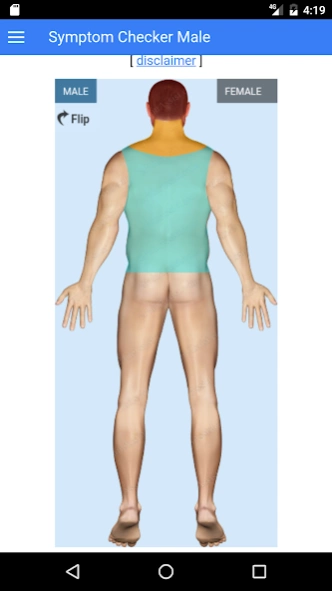
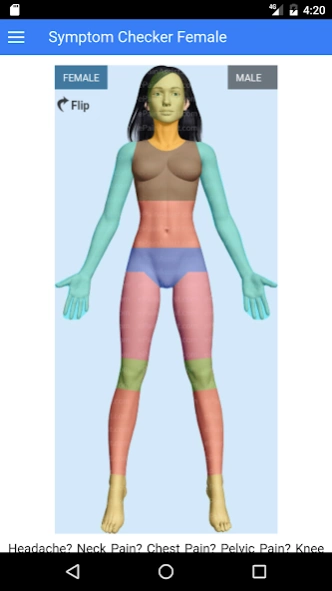
Know the possible list of diagnosis based on the symptoms that you experience
This symptoms checker app is developed by www.epainassist.com to help you know the possible list of diagnosis based on the symptoms that you are experiencing.
Epainassist.com has created symptom checker to give differential diagnosis for your single or multiple pain symptoms. Pain symptom is considered as one of the vital sign. We have divided the symptom checker into 10 sections. Each main section of symptom checker has multiple sub-sections. The main sections of symptom checker is divided as follows:
Head and Face Pain
Neck Pain
Chest Pain
Upper Extremity Pain (includes elbow joint, forearm, wrist joint, hands, fingers, shoulder joint, upper arm etc…)
Abdomen Pain (includes 9 sub quadrants)
Pelvis Pain
Thigh Pain
Knee Pain
Shin and Calf Pain
Ankle and Foot Pain Sections
Based on your location of the pain, please click over appropriate part of body shown over symptom checker 3D image. You will be provided several questionnaires. At the end once you answer all pertaining questions provided by symptom checker you should click on section suggesting “Possible Diagnosis”. The next page will display multiple diagnosis ptovided by symptom checker.
Before getting started:
The www.epainassist.com symptom checker will not provide you with a single final diagnosis. Symptom checker provides you with a possible list of diseases depending on the answers which you have selected. You should consult your physician immediately for further investigation and diagnosis. Your doctor will eliminate the unrelated conditions and provide you a single diagnosis. Your treatment depends on correct diagnosis.
About Symptom Checker
The company that develops Symptom Checker is Pain Assist Inc. The latest version released by its developer is 1.6.0.
To install Symptom Checker on your Android device, just click the green Continue To App button above to start the installation process. The app is listed on our website since 2019-11-08 and was downloaded 0 times. We have already checked if the download link is safe, however for your own protection we recommend that you scan the downloaded app with your antivirus. Your antivirus may detect the Symptom Checker as malware as malware if the download link to com.epainassist.symptomchecker is broken.
How to install Symptom Checker on your Android device:
- Click on the Continue To App button on our website. This will redirect you to Google Play.
- Once the Symptom Checker is shown in the Google Play listing of your Android device, you can start its download and installation. Tap on the Install button located below the search bar and to the right of the app icon.
- A pop-up window with the permissions required by Symptom Checker will be shown. Click on Accept to continue the process.
- Symptom Checker will be downloaded onto your device, displaying a progress. Once the download completes, the installation will start and you'll get a notification after the installation is finished.
Program Details
System requirements
Download information
Pricing
Version History
version 1.6.0
posted on 2019-11-09
Added Support for latest Android Version..
version 1.5.8
posted on 2019-11-08
Added Support for latest android release
version 1.5.7
posted on 2019-10-22
Updated to latest android version
version 1.5.6
posted on 2018-10-30
version 1.5.4
posted on 2016-10-05
- Bug fixes,- Improved User Experience,- Symptom Checker for additional body parts added
Disclaimer
Official Google Play Link
We do not host Symptom Checker on our servers. We did not scan it for viruses, adware, spyware or other type of malware. This app is hosted by Google and passed their terms and conditions to be listed there. We recommend caution when installing it.
The Google Play link for Symptom Checker is provided to you by apps112.com without any warranties, representations or guarantees of any kind, so access it at your own risk.
If you have questions regarding this particular app contact the publisher directly. For questions about the functionalities of apps112.com contact us.
